Written by Denys Havryliak
How to Enroll in Apple's Developer Program (2026)
How to enroll in Apple's Developer Program in 2026: requirements, the $99/year fee, verification steps, and the common problems that delay approval.
TL;DR
- Cost: $99/year (individuals and organizations)
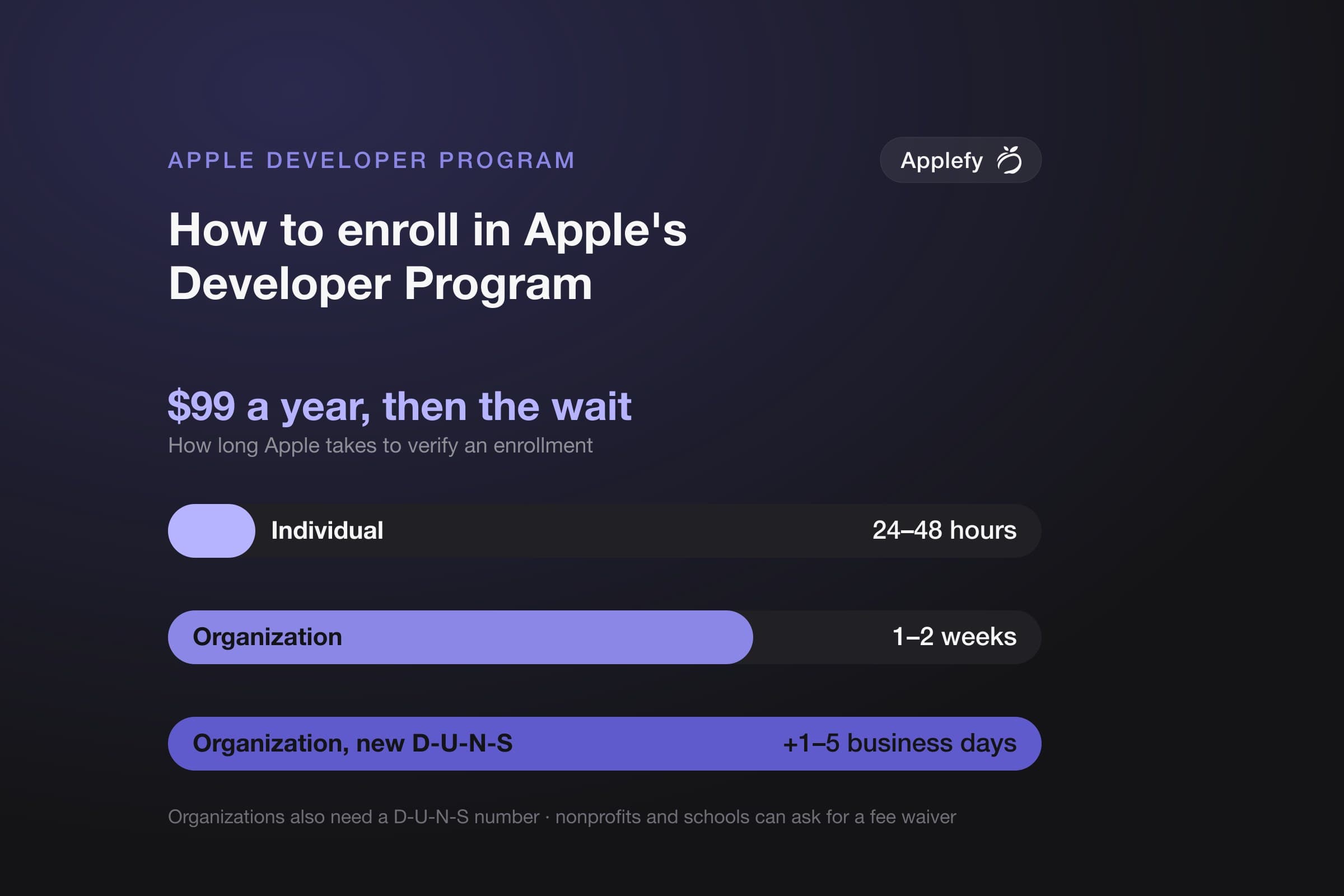
- Verification time: 24–48 hours (individual), 1–2 weeks (organization)
- Required: Apple ID + credit card; organizations also need a D-U-N-S number
- Biggest delay: D-U-N-S setup adds 1–5 extra business days before Apple even starts reviewing
- Free option: Nonprofits and educational institutions
We've onboarded clients through every step of this process — this guide reflects what actually trips them up.
Apple's enrollment process is simple in theory and annoying in practice.
You'll spend an afternoon filling out forms, then wait anywhere from 24 hours to two weeks for verification — depending on whether you're an individual or an organization. We've onboarded enough clients through this process to know exactly where it stalls.
Here's what you actually need, what trips up most teams, and what to expect after you're in.
The Basic Requirements
Apple ID
You need an Apple ID — an email and password. If you're enrolling as an individual, this Apple ID becomes the account owner. If you're enrolling as an organization, you'll need an Apple ID for the account holder plus a D-U-N-S number for your legal entity.
One thing most teams miss: use a dedicated Apple ID for your organization's developer account. Using a personal one you've mixed with other developer accounts causes problems down the road.
$99 Per Year
The Apple Developer Program costs $99 USD per year. Paid by credit card. Covers all apps you publish under that account. No per-app fee to be in the program.
Nonprofits and educational institutions may qualify for a free membership through the Apple Developer Program for nonprofits or universities.
That $99 is not the full cost of maintaining an iOS app. See our full developer account cost breakdown for what founders actually need to budget for.
Legal Entity (for Organizations)
To enroll as an organization, Apple requires:
- A legal entity name (your registered company name)
- A D-U-N-S number (free from Dun & Bradstreet, takes 1–5 business days to get)
- Legal authority to bind the organization to the Developer Program Agreement
Individual enrollment is simpler — just an Apple ID and credit card. But apps published under an individual account show the developer's name, not a company name, in the App Store.
Individual vs Organization Enrollment
| Factor | Individual | Organization |
|---|---|---|
| Cost | $99/year | $99/year |
| Verification time | 24–48 hours | 1–2 weeks |
| App Store name shown | Your personal name | Your company name |
| Requires D-U-N-S | No | Yes |
| Apple ID | Personal | Dedicated recommended |
| Best for | Solo devs, freelancers | Companies, startups, agencies |
The Enrollment Process
- Go to developer.apple.com/programs/enroll.
- Sign in with your Apple ID.
- Choose Individual or Organization enrollment.
- Fill in your personal or legal entity information.
- Pay the $99 fee.
- Wait for Apple to verify your identity (usually 24–48 hours for individuals, 1–2 weeks for organizations).
Once verified, you have access to App Store Connect, Xcode development features, TestFlight, and all developer resources.
Common Problems
The D-U-N-S Number Delay
This is where most teams lose a week they didn't plan for.
Apple verifies organizations manually. It takes 1–2 weeks in most cases, sometimes longer. And before that clock starts, you need a D-U-N-S number from Dun & Bradstreet — which takes another 1–5 business days. Start this process long before your intended launch. Not the week before you want to ship.
D-U-N-S Number Doesn't Match
Apple checks your D-U-N-S entry against what's on record with Dun & Bradstreet. If your company name, address, or phone number doesn't match exactly, enrollment stalls. Verify your D-U-N-S entry at dnb.com before starting enrollment.
Apple ID Already Used
If you've used your Apple ID to sign in as a team member on another account, it may be flagged. Use a dedicated Apple ID for your organization's developer account if you're enrolling as an organization. We've seen this catch teams off guard more than once — especially founders who were previously a team member on a client's or previous startup's account.
After Enrollment
You get access to:
- App Store Connect: Manage your apps, view analytics, respond to reviews.
- TestFlight: Distribute beta builds to up to 10,000 external testers.
- Xcode signing: Create provisioning profiles and certificates for development and distribution.
- Developer resources: Beta OS releases, developer forums, WWDC sessions.
Set up your first development certificate and provisioning profile in Xcode immediately. Let Xcode manage them automatically — manual certificate management is where most non-developers get lost. We've seen more launch delays caused by certificate confusion than by actual code problems.
See our App Store distribution guide for the next steps after enrollment.
Frequently Asked Questions
Can I publish apps under my personal name instead of a company?
Yes. Individual enrollment publishes apps under your personal name in the App Store. If you want a company name, enroll as an organization.
How long does Apple Developer Program enrollment take?
Individual: 24–48 hours. Organization: 1–2 weeks, sometimes more. Apply early.
What is a D-U-N-S number and how do I get one?
A D-U-N-S number is a unique identifier for legal business entities, issued by Dun & Bradstreet. Get one free at dnb.com. Takes 1–5 business days. Apple requires it for organization enrollment.
Can multiple people use one Apple Developer account?
Yes. App Store Connect has roles: Account Holder, Admin, Developer, Marketing, etc. You can invite team members with appropriate roles. Only the Account Holder has full access.
What happens if I don't renew my Developer Program membership?
Your apps stay on the App Store temporarily, but you lose the ability to submit updates. After an extended period without renewal, Apple removes apps from the store. Renew annually.
Related articles
- iPhone Developer Account Costs and Maintenance (2026)Business
- How to Build an MVP iPhone App: A Founder's GuideGetting Started
- The Best Tools for Developing iPhone Apps (2026)Development