Written by Denys Havryliak
Why iPhones Shut Down Heavy Apps First
iOS does not slow a hungry app down — it terminates it, heaviest first. What that costs you in abandoned baskets and repeat logins, and the widget ceiling it puts on cross-platform apps.
If your app is built with Flutter or React Native, iOS is more likely to shut it down while your customer is still using it. Not crash it. Shut it down — quietly, in the background, and then hand the customer a blank app when they come back.
This is the least understood cost of choosing a cross-platform framework, and it does not show up in any crash report. Here is how it works and what it costs you.
An iPhone does not slow an app down when memory runs short. It shuts the app down. And when it chooses which app to shut down, it goes after the one holding the most memory first.
Why does an iPhone shut an app down instead of slowing it?
Every other computer you own deals with running out of memory by getting slower. It moves whatever you have not touched recently onto storage, keeps everything open, and carries on. Slow, but nothing is lost.
A phone running iOS does not do this for apps. When memory runs short it picks an app and ends it. There is no warning to the customer and no dialog. The app is simply gone, and the memory it was holding goes back to the phone.
Apple has a name for the number it judges your app by. It calls it your memory footprint, and it explains how that is counted in a WWDC session on iOS memory. Apple also documents how to read the reports these shutdowns leave behind, which is how developers find out it happened at all.
The part that matters commercially is the selection rule. Heavier apps are chosen first.
Your customer does not see a crash. They see an app that forgot
This is the bit worth picturing, because it does not look like a bug to the person it happens to.
Someone is halfway through your checkout. They switch to their banking app to read a card number. Twenty seconds later they come back — and your app opens on its launch screen. The basket is empty. The form is blank. They may have to log in again.
Nothing crashed. iOS shut your app down in the background to free memory for the app in front, exactly as it is designed to. Your crash reporting will show nothing, because there was no crash.
What it costs you is not technical:
- Abandoned baskets, at the worst possible moment — the customer had already decided to buy
- Repeated logins, which is the single most common complaint in app store reviews
- Support tickets that say “it keeps logging me out”, which are almost impossible to reproduce on a developer's new phone
- Reviews saying the app “never remembers anything” — and that review stays up long after you fix it
It is worse on older and cheaper iPhones. There is less memory to share, so the shutdowns start sooner and happen more often. Those are frequently the customers you can least afford to lose, and never the phone your team tests on.
How much heavier are we talking about?
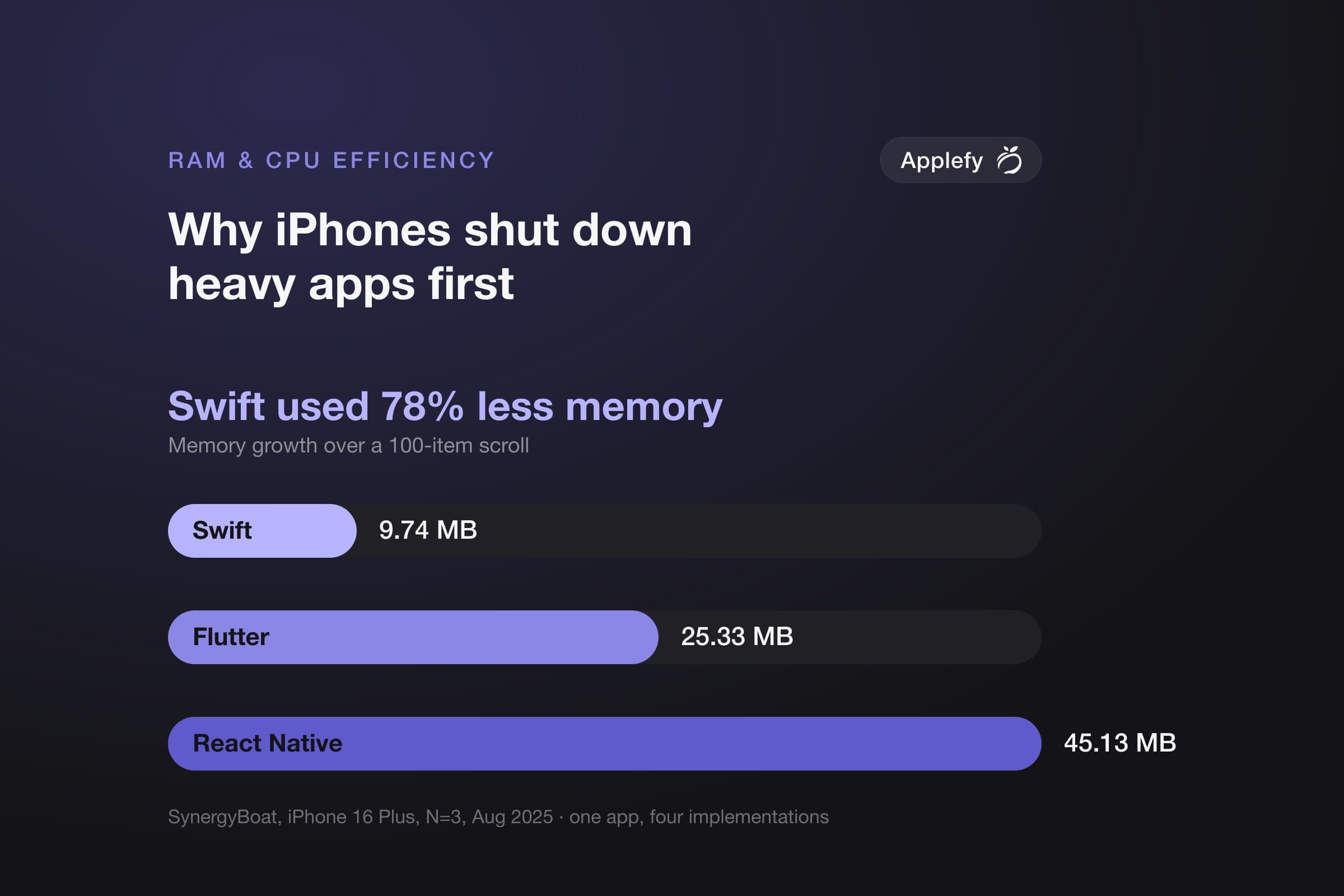
In the only published iPhone test that builds the same app in native Swift, Flutter and React Native and measures all three the same way, one scroll through a 100-item list added:
| Built with | Extra memory from one scroll | Compared with Swift |
|---|---|---|
| Native Swift | 9.74 MB | — |
| Flutter | 25.33 MB | 2.6× more |
| React Native | 45.13 MB | 4.6× more |
SynergyBoat, August 2025. One flashcard app built four ways, iPhone 16 Plus, three runs each. React Native's result also moved a great deal between runs — read it as “roughly four to five times”, not exactly 4.6.
Nobody gets shut down over 45 MB by itself. That is the point people miss. That is the growth from one action. Your customer scrolls a list, opens a product, goes back, scrolls again — and it accumulates across the session.
The app that grows fastest reaches the line first. On the cheapest phone. In the middle of a checkout.
Which features can you not build at all?
Inside your app, memory is a matter of degree — heavier means shut down sooner. Outside your app it is a hard wall.
Home-screen widgets, Live Activities on the Lock Screen, share sheets and custom keyboards run under a far smaller memory budget than your app does. Developers who have hit that wall report the widget limit at around 30 MB. That figure comes from crash logs developers have posted rather than from any Apple specification, so treat it as the observed neighbourhood rather than a published number.
Either way it is small — small enough that React Native's own documentation warns that its memory use “tends to be too high” for the tightest of these budgets.
The consequence catches teams late, and it is worth knowing before you choose: if widgets or Live Activities matter to your product, that part gets written in Swift no matter what you build the main app in. A cross-platform framework does not remove that native work. It moves it — and now you are paying for two skill sets instead of one.
What should you do about it?
None of this means cross-platform is the wrong choice. It means the memory difference is a real cost with a real name, and it belongs in the decision rather than being waved away.
- Test on the oldest phone you intend to support, not the newest. This problem is invisible on a new iPhone and obvious on a five-year-old one
- Ask whether your app holds anything worth losing. A reading app that forgets your place is an annoyance. A checkout, a booking flow or a long form is lost revenue
- If widgets are on the roadmap, budget for Swift regardless of what you pick for the main app
- If efficiency is the product, this is the argument for going native. It carries more weight than raw speed. Think background audio, camera, maps, on-device AI and long sessions
For the full comparison, with every number we could verify and the conditions each was measured under, see Swift vs Flutter vs React Native: RAM and CPU, with sources. For a single framework head-to-head: Swift vs Flutter or Swift vs React Native. If you would like this weighed against a specific product rather than in the abstract, talk to us — we build in all three.
Related articles
- Swift vs React Native: RAM, CPU and the Cost of Two RuntimesDevelopment
- Swift vs Flutter: RAM, CPU and What the Measurements Actually SayDevelopment
- Native Swift vs Flutter vs React Native: RAM, CPU and Real EfficiencyDevelopment